














For Developers

Voice, SMS and phone numbers by API

Add calling, messaging and phone number management to your application with didlogic’s APIs, JavaScript Voice SDK and MCP Server.
Trusted by
Avast logo
Exness logo
Etsy logo
viagogo logo
Revolut logo
Sinch logo
XM logo

APIs and tools for your application

Public API

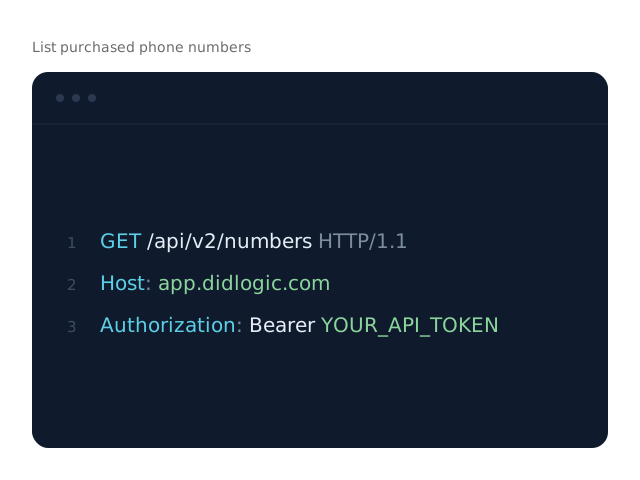
Manage your account, phone numbers, SIP accounts and incoming call routing from code.

SMS API

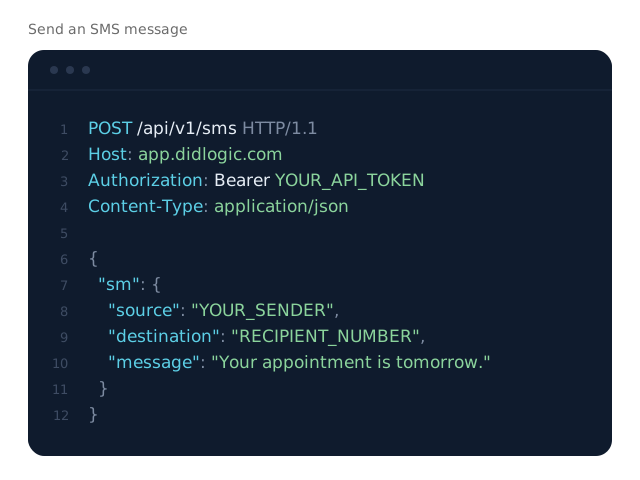
Send SMS, check delivery status and receive incoming messages through a webhook.

Click-to-call API

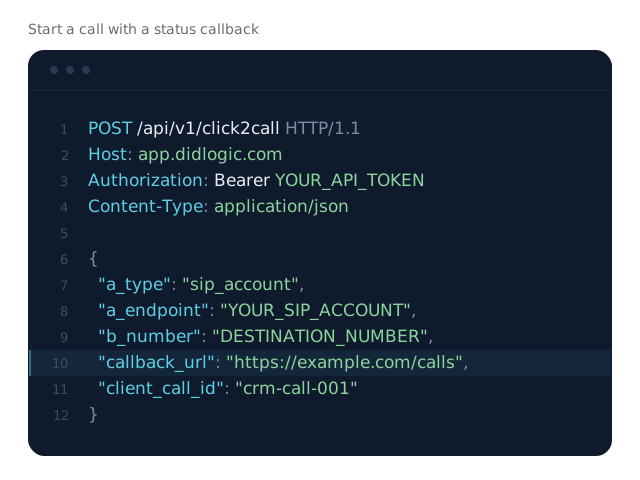
Start a call with one POST request and receive call status updates at your callback URL.

Voice SDK

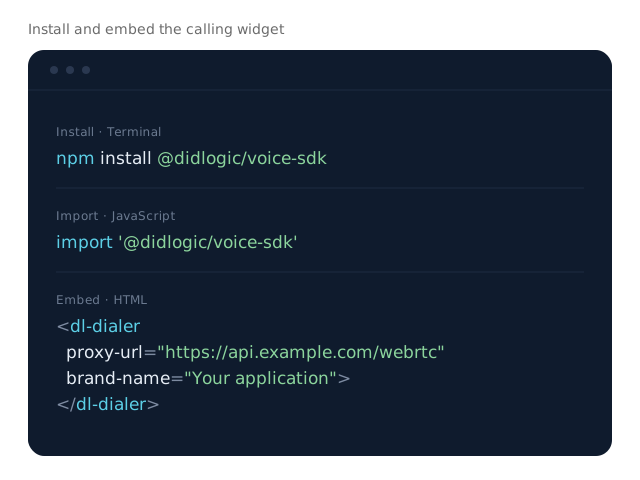
Embed a JavaScript calling widget in your application, installed through npm.

MCP Server

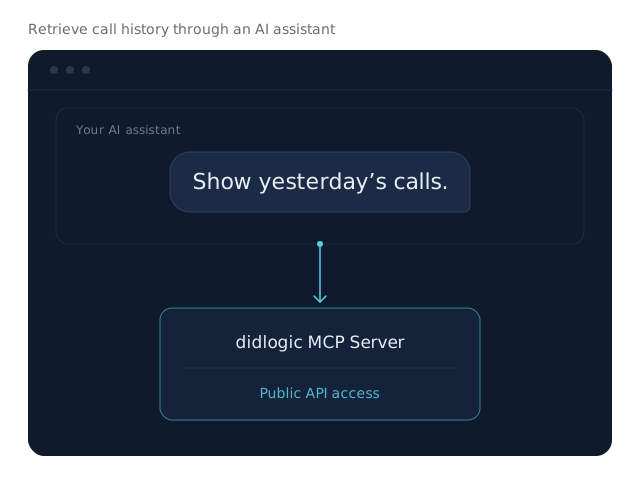
Manage didlogic resources through an AI assistant using natural-language requests.

Public API

Manage numbers, routing and account resources

Search and buy phone numbers, create SIP accounts and configure incoming call routing from your application. Retrieve call history, check number validity and spam flags, and manage verification documents.

Manage numbers, routing and account resources
SMS API

Send SMS and receive replies

Send notifications and reminders from your application, check delivery status and receive incoming messages through a webhook.

Send SMS and receive replies
CLICK-TO-CALL API

Start calls from your application

Trigger a call with one POST request. Include a callback URL to receive call status updates and track progress in your application.

Start calls from your application
VOICE SDK

Add calling to your application

Embed a JavaScript calling widget in your CRM or product interface. Install the Voice SDK through npm and connect it through your backend proxy, keeping the SDK token on your server.

Add calling to your application
MCP SERVER

Manage didlogic through your AI assistant

Connect Claude, Cursor or another compatible AI assistant to the MCP Server. Use natural-language requests to find phone numbers, retrieve call history and check numbers for spam flags.

Manage didlogic through your AI assistant
WEBHOOKS

Receive SMS and call events through webhooks

Send event data to your application as it becomes available, without repeatedly polling the API.

Incoming SMS

Receive incoming messages at your webhook URL.

Call status

Receive click-to-call status updates at the callback URL specified in your request.

Call records (CDR)

Receive call data for your CRM, reporting or analytics.

Call recordings

Receive notifications when recordings become available.

Connect didlogic to your voice platform

AI voice platforms

PBX systems, IP phones and softphones

Configuration guides for supported systems and devices.

Browse setup guides

How to get started

Create your didlogic account, complete verification and arrange API access. Once your API key is available, use the documentation to authenticate your application and send your first request.
  1. Step 1

    Create your account

    Sign up for didlogic to begin setting up your account.

  2. Step 2

    Complete verification

    Verify your account before adding funds, buying numbers or making calls. Some phone numbers require additional verification documents.

  3. Step 3

    Enable API access

    Contact the team to arrange API access and obtain your API key. Ongoing API access requires the Plus plan, with a $100 monthly commitment.

Frequently asked questions

How much does API access cost?

Ongoing didlogic API access starts with the Plus plan, which has a $100 monthly commitment. Contact the team to arrange access and obtain your API key.

Can I test an integration before committing to a plan?

You can request temporary API access and test credit through the sales team. Testing takes place on your own didlogic account.

Do I need to verify my account?

Yes. Account verification is required before you can add funds, buy phone numbers or make calls. Some phone numbers also require additional verification documents.

How do I authenticate API requests?

The Public API uses bearer-token authentication. Include your API key in the Authorization header of each request: Authorization: Bearer YOUR_API_TOKEN.

Are there API rate limits?

Rate limits depend on the endpoint. Check the documentation for the operations your application uses, and confirm your expected request volume with the team before deploying.

Which applications can use the Voice SDK?

The Voice SDK is a JavaScript calling widget for web applications, including CRMs and SaaS products. Install it through npm and connect it through a backend proxy. Your SDK token stays on your server.

Talk to sales

Tell us what you need. We’ll help you find the right options for coverage, pricing, and setup.

No account required. We’ll reply by email. Read our Privacy Policy.