
An AI customer support agent that answers repeated questions










What it handles
The questions that already have an answer written down. It works out what the caller is asking, answers from your knowledge base, and puts them through to your team when it can’t.
Anything that needs judgement, account access or a decision. The agent doesn’t attempt those, it hands them over.
We don’t charge for the agent. You pay per-minute traffic on your didlogic numbers, sometimes billed per second, the same as any other call. It runs on the network we own: AS13006, 12 physical PoPs, local numbers in 140+ countries.
Four gaps an AI support agent closes

Opening hours, delivery times, how something works. Answered without a ticket.

Callers get an answer instead of a hold queue.

Evenings and weekends covered, with the caller’s question logged either way.

One agent covering every market you sell into.
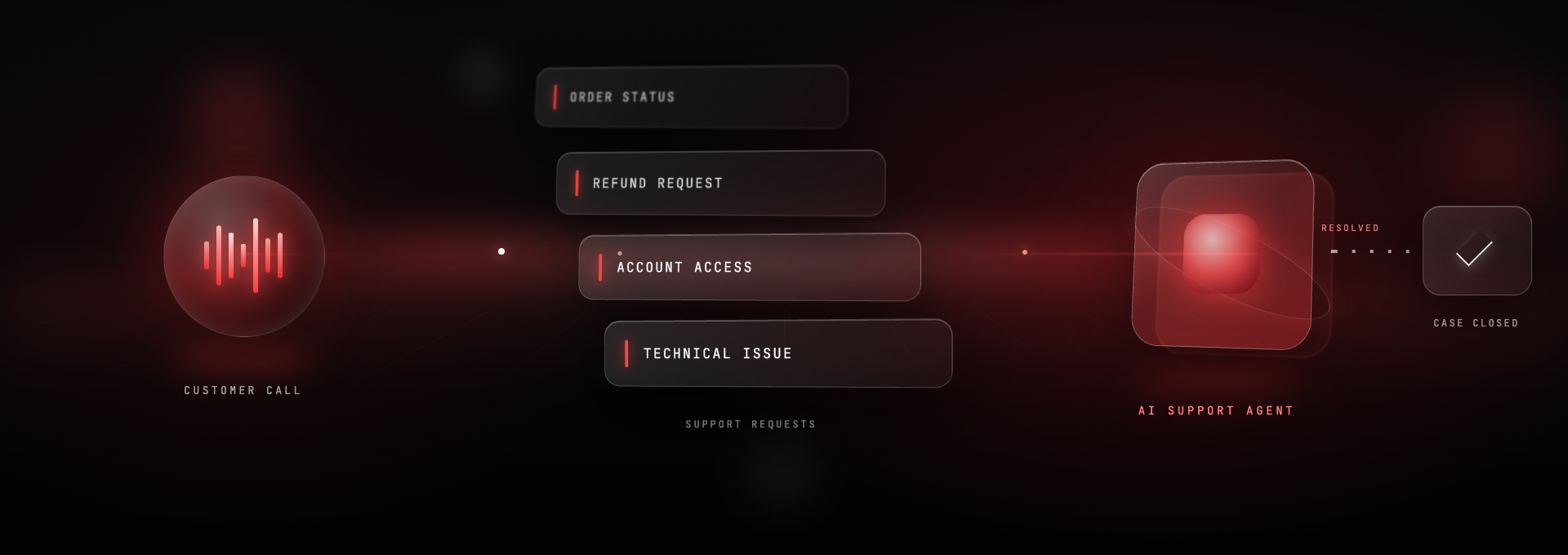
Capabilities
Give it your FAQs and product information and it answers from them, in conversation, not as a menu.
If there’s no answer in the knowledge base, it doesn’t guess and puts the caller through.
It picks up on tone. An annoyed caller gets a person, not another attempt.
Switches automatically to whatever language the caller uses. Almost any language, Arabic included.
After-call emails with the transcript and summary, plus daily or weekly digests.
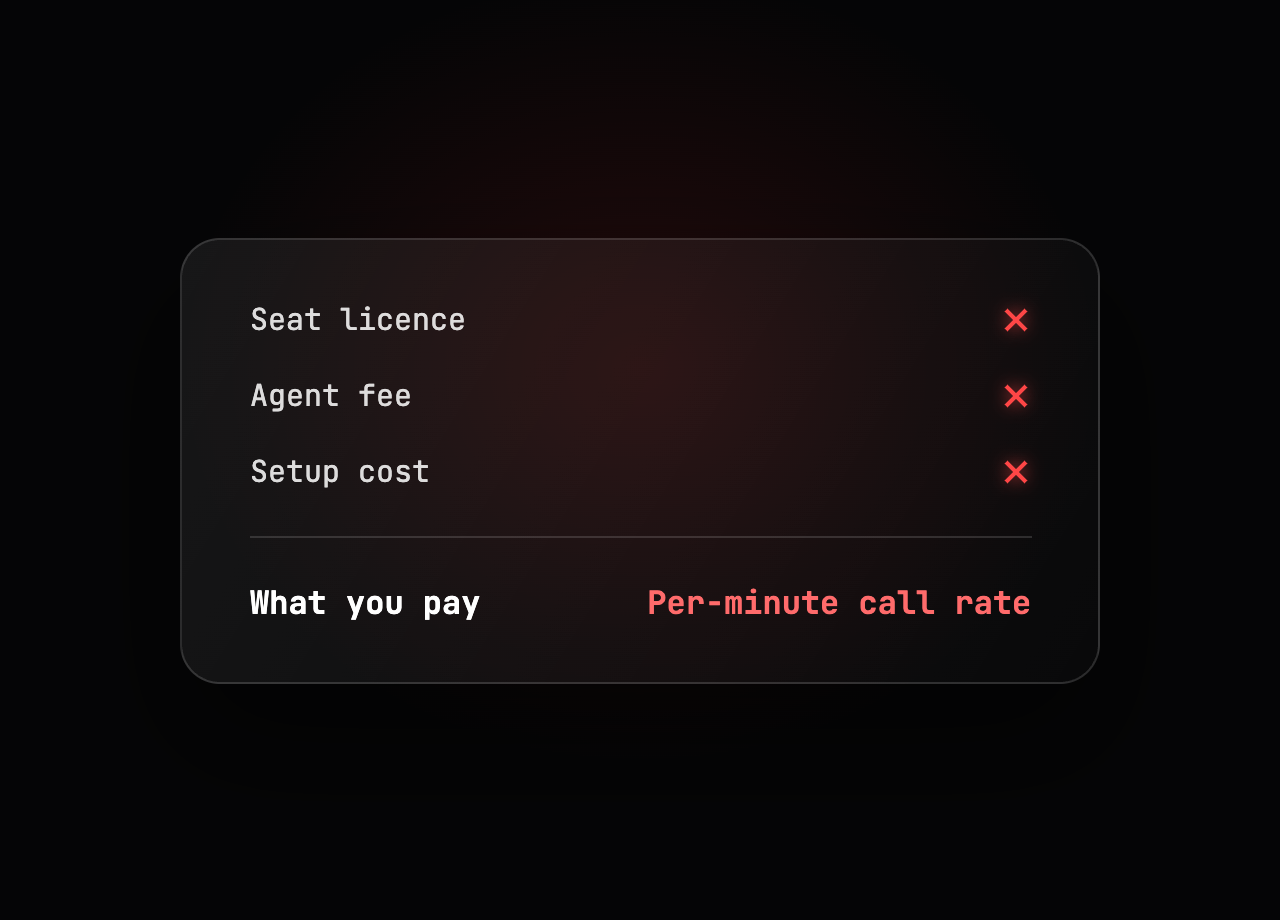
No licence, no seat fee. You pay for traffic only.
It answers in the language the caller speaks
Every agent handles almost any language by default and switches the moment it hears the caller.
Run local numbers in six countries and each one greets callers in that market’s language, from one agent, with no per-country setup. The local numbers come from the same 140+ country inventory you already buy from.

From knowledge base to first answered call
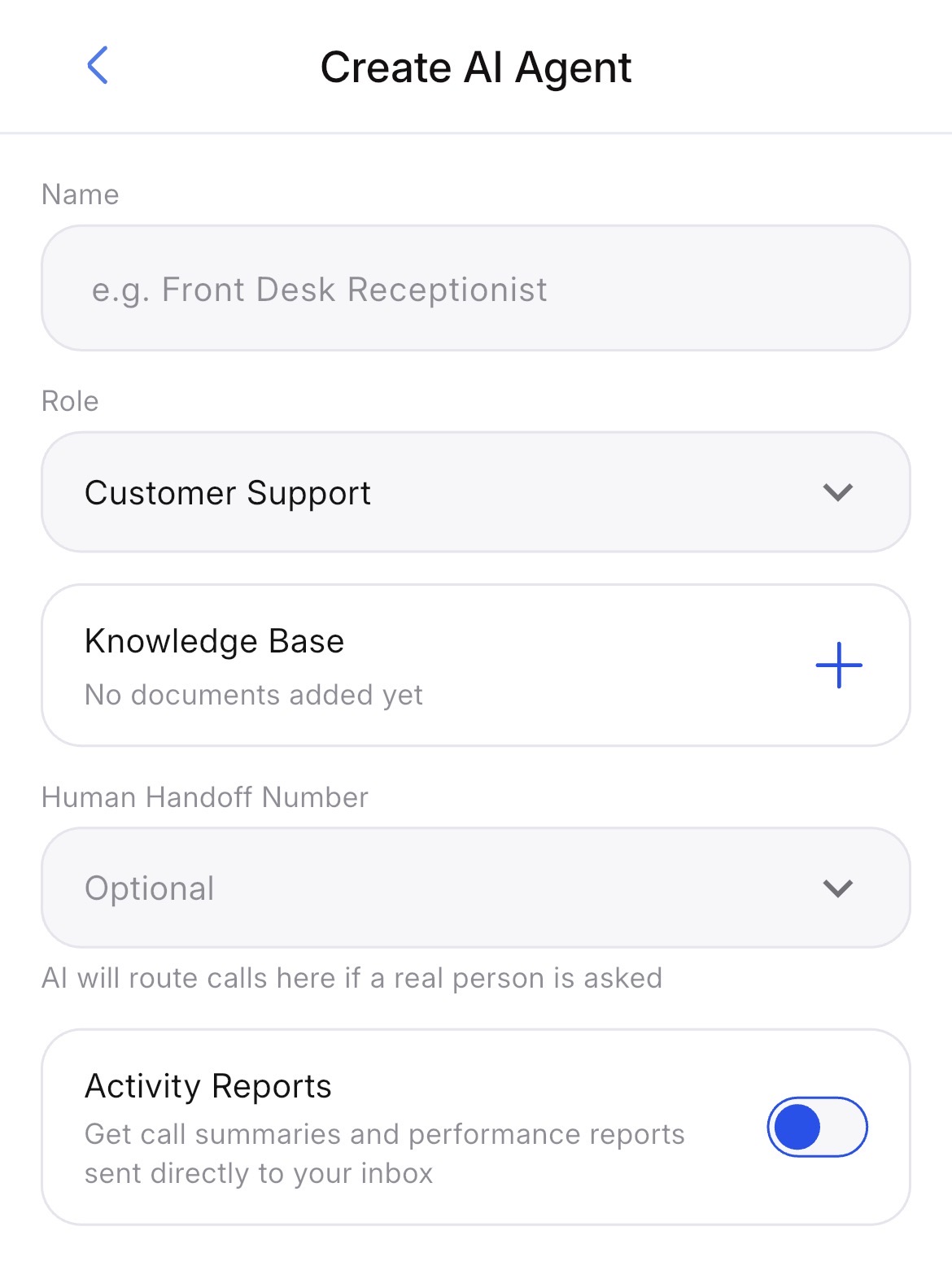
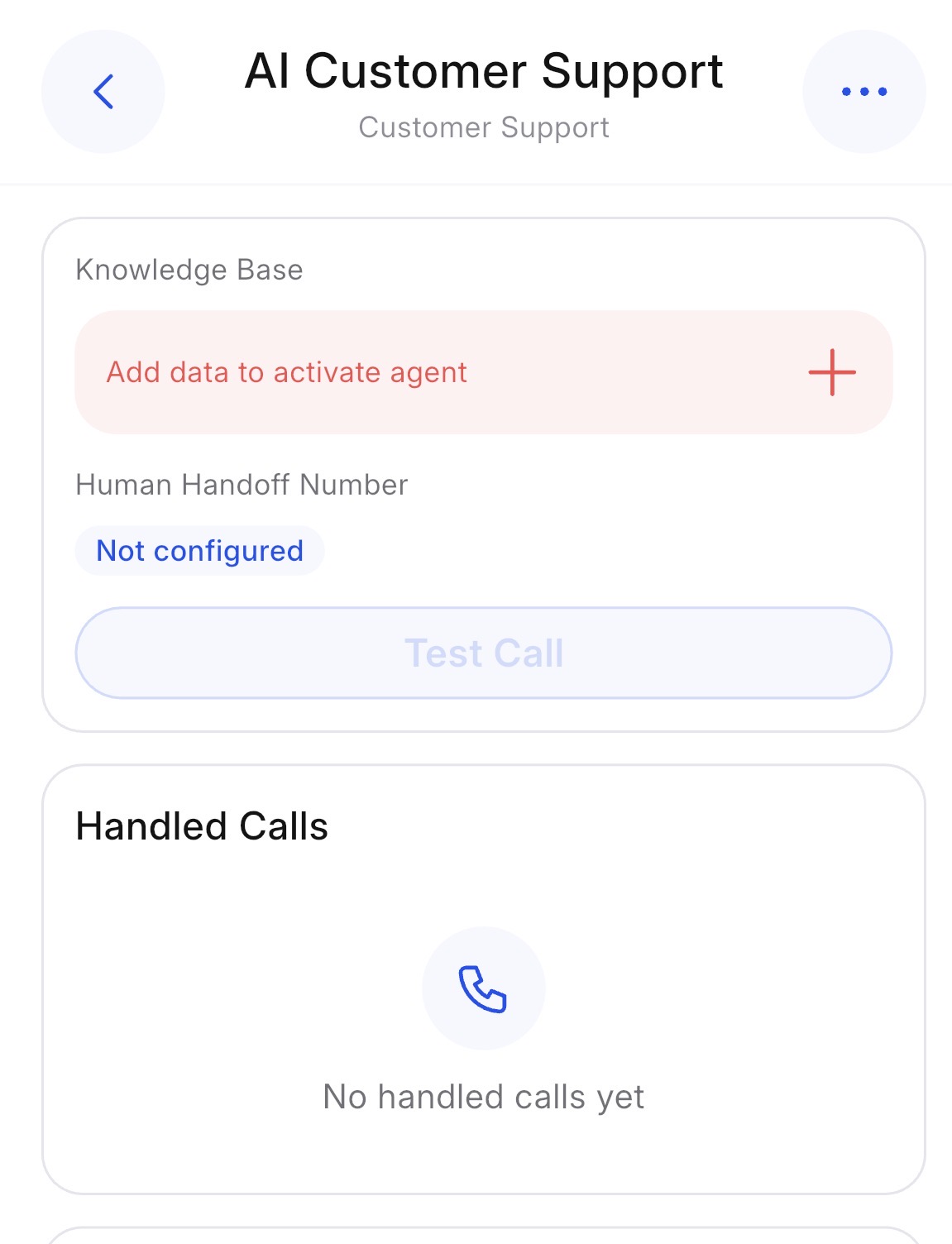
Configure it from your phone > Set up the agent in the didlogic mobile app. Give it your knowledge base, choose the handover number.
Who puts it on the line
Booking questions and policy queries across time zones, in the caller’s language.
Delivery, returns and stock questions, which is most of what comes in.
A local number per site, one knowledge base behind all of them.
| didlogic AI support agent | IVR menu | Voicemail or hold queue | |
|---|---|---|---|
| How the caller asks | Says it in their own words | Presses numbers | Waits |
| Common questions | Answered on the call | Routed, then queued | Never answered |
| When it can't help | Puts the caller through | Routes, or loops | N/A |
| Frustrated caller | Escalated to a person | Keeps going | Keeps waiting |
| Languages | Switches to the caller's | Whatever you recorded | N/A |
| After the call | Transcript and summary by email | Nothing | A recording |
| Cost | Traffic only, no agent fee | Setup and maintenance | Free, and expensive |
Built to stay compliant across every market
didlogic routes calls through its own regional data centers. Voice traffic stays on domestic infrastructure where required, keeping call handling aligned with local data processing laws.
Direct connectivity to 80% of Tier 1 carriers and national operators worldwide. Calls always hand over to the recipient’s local mobile network, not through foreign gateways.
EU and APAC DIDs are activated on domestic mobile networks. Outbound calls originate from in-country IPs with compliant caller IDs, so they arrive as domestic traffic rather than being flagged or blocked as foreign.
Our regional legal and telecom engineering teams track regulatory changes across the countries we serve. Call processing adjusts proactively when rules change, so your AI stays compliant without a ticket on your side. Automated document verification clears compliance paperwork in about 5 minutes, so regulated markets do not stall your rollout.
You pay for calls. Not for the agent.
No licence, seat fee or per-agent charge. The same per-minute rate on your didlogic numbers as you would pay without an agent.
FAQ: AI customer support agent
What is an AI customer support agent?
An AI customer support agent is a voice agent that answers your support line, works out what the caller is asking, and answers from the knowledge base you give it. When it can’t help, it puts the caller through to your team.
What can it actually answer?
Anything you’ve written down: opening hours, delivery times, policies, how your product works, common troubleshooting steps. It answers in conversation rather than reading a menu, but it only knows what’s in your knowledge base.
What happens when it can't answer?
It stops and puts the caller through to the number you nominate rather than guessing. The caller will need to explain what they want again, since the agent doesn’t stay on the line to brief whoever picks up.
Does it know when a caller is annoyed?
Yes. It picks up on tone and escalates to a person instead of making another attempt, so frustrated callers don’t get stuck in a loop with an agent that can’t help them.
Can it look up my customer's order or account?
Not yet. The agent works from your knowledge base only and has no access to your order, account or customer systems, so it can answer how returns work but not where a specific order is.
Does it create tickets in our helpdesk?
Not yet. You get the transcript and summary by email after every call, which you can forward into your helpdesk, but there’s no direct integration with Zendesk, Intercom or similar.
What languages does it speak?
Almost any. It detects the language the caller is using and switches to it automatically, with no setup on your side, and Arabic is supported and handled well.
Does it pretend to be a person?
No. Ask the agent whether it’s an AI and it will tell you it is.
Can I keep my existing number?
Yes. Point an existing didlogic number at the agent, or port one in from another provider, and your number keeps working throughout the port. You can also take a new local number in any of 140+ countries.
Where do I set it up?
In the didlogic mobile app. You add your knowledge base, set how you want callers greeted, and choose the escalation number, all in plain language with no scripting.
What do I get after each call?
An email with the full transcript and a summary of what the caller asked and how the call ended. You can also get daily or weekly digests, which are useful for spotting which questions keep coming up and belong in your knowledge base.
How much does it cost?
There’s no charge for the agent itself: no licence, no seat fee, no per-agent pricing. You pay the standard per-minute rate for traffic on your didlogic numbers, sometimes billed per second, exactly as you would without an agent.