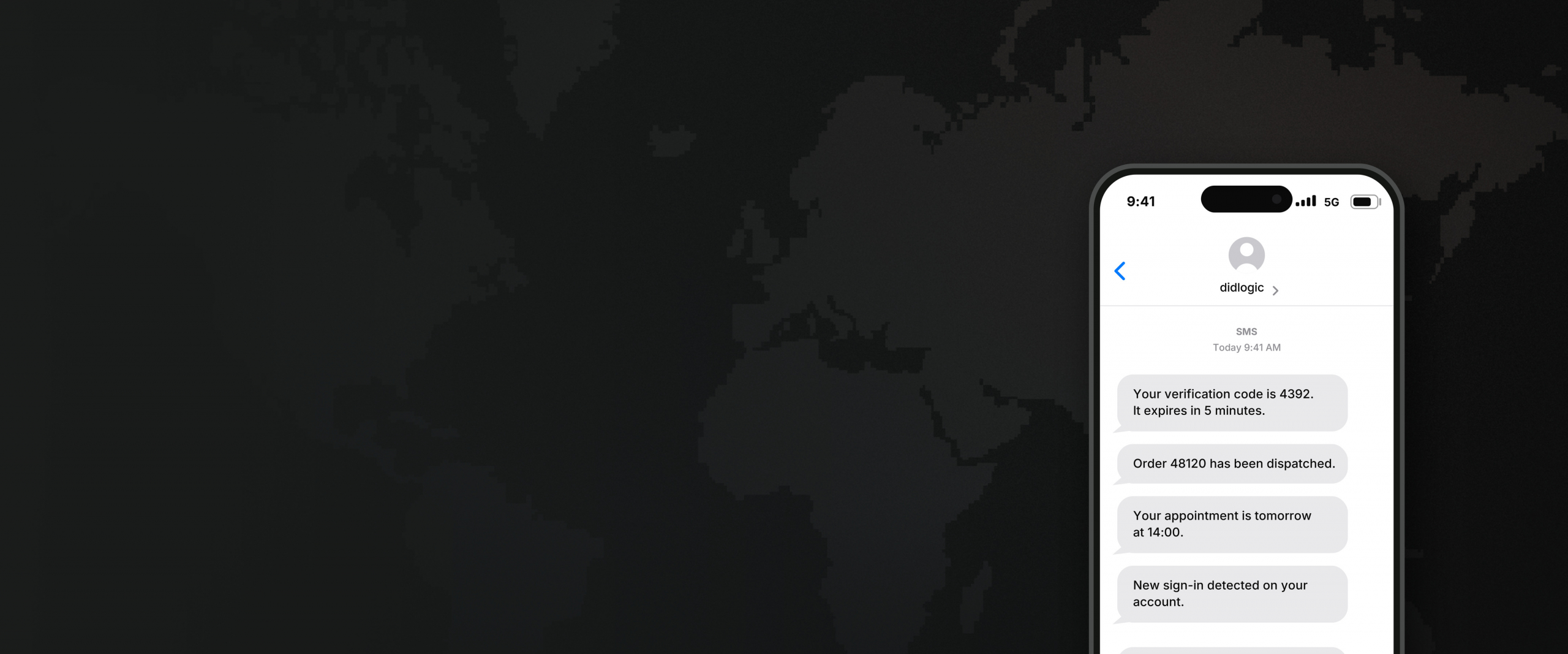








A2P SMS for global business messaging

Send OTPs, transactional notifications and supported promotional SMS with didlogic. Use an approved sender ID without buying a virtual phone number.
Trusted by

Outbound SMS without a phone number

No DID required
No DID required

Standalone outbound A2P SMS doesn’t require a virtual phone number. Once your sender and account are configured, you can send under the approved sender setup for your traffic.

Your business as the sender

Use an alphanumeric sender ID representing your company, brand or service where supported. Sender registration or supporting documentation may be required in some markets.

International coverage

Send A2P SMS to mobile destinations worldwide. Requirements vary by country, so we check your destinations, traffic and sender setup before launch.

Built for business traffic

Use A2P SMS for application-generated messages including verification codes, transactional notifications, customer updates and supported promotional traffic.

SETUP

From your use case to live traffic

Tell us what you plan to send and where. We’ll check the requirements for your destinations and confirm the appropriate sender and route before traffic starts.
  1. Step 1

    Share your traffic

    Send us your destination countries, traffic type, representative message content, expected volume and preferred sender ID.

  2. Step 2

    Confirm the setup

    We check sender requirements, registration where required, and the available route for your traffic.

  3. Step 3

    Start sending

    Once the setup is confirmed and configured for your account, you can begin sending through the agreed didlogic messaging setup.

USE CASES

What can you send with A2P SMS?

OTP and verification

Send one-time codes, login verification and account-recovery messages.

Transactional notifications

Send order updates, appointment reminders, account alerts, delivery notices and other service messages.

Customer communication

Send business-generated updates and notifications connected to an existing customer relationship or service.

Promotional messaging

Send supported offers, announcements and campaign messages where promotional traffic is permitted.

High-volume messaging

Manage recipients and sending logic in your own system and submit messages through the configured didlogic messaging setup.

Sender IDs for A2P SMS

Choose how your business appears to recipients. Sender ID availability and registration requirements vary by destination, so we confirm the appropriate setup for the countries you want to reach.

Alphanumeric sender IDs

Display your company, brand or service name instead of a phone number where supported. Alphanumeric sender IDs are typically 3–11 characters and can contain letters and numbers.

Sender ID registration

Some destinations require sender IDs to be formally registered before use, while others do not. We confirm the requirements for your selected countries and support the required setup.

Numeric senders
Numeric senders

Standalone A2P messaging typically uses an alphanumeric sender ID. If you need SMS tied to a phone number, didlogic also supports SMS-enabled DIDs as a separate setup.

SMS pricing depends on where you send

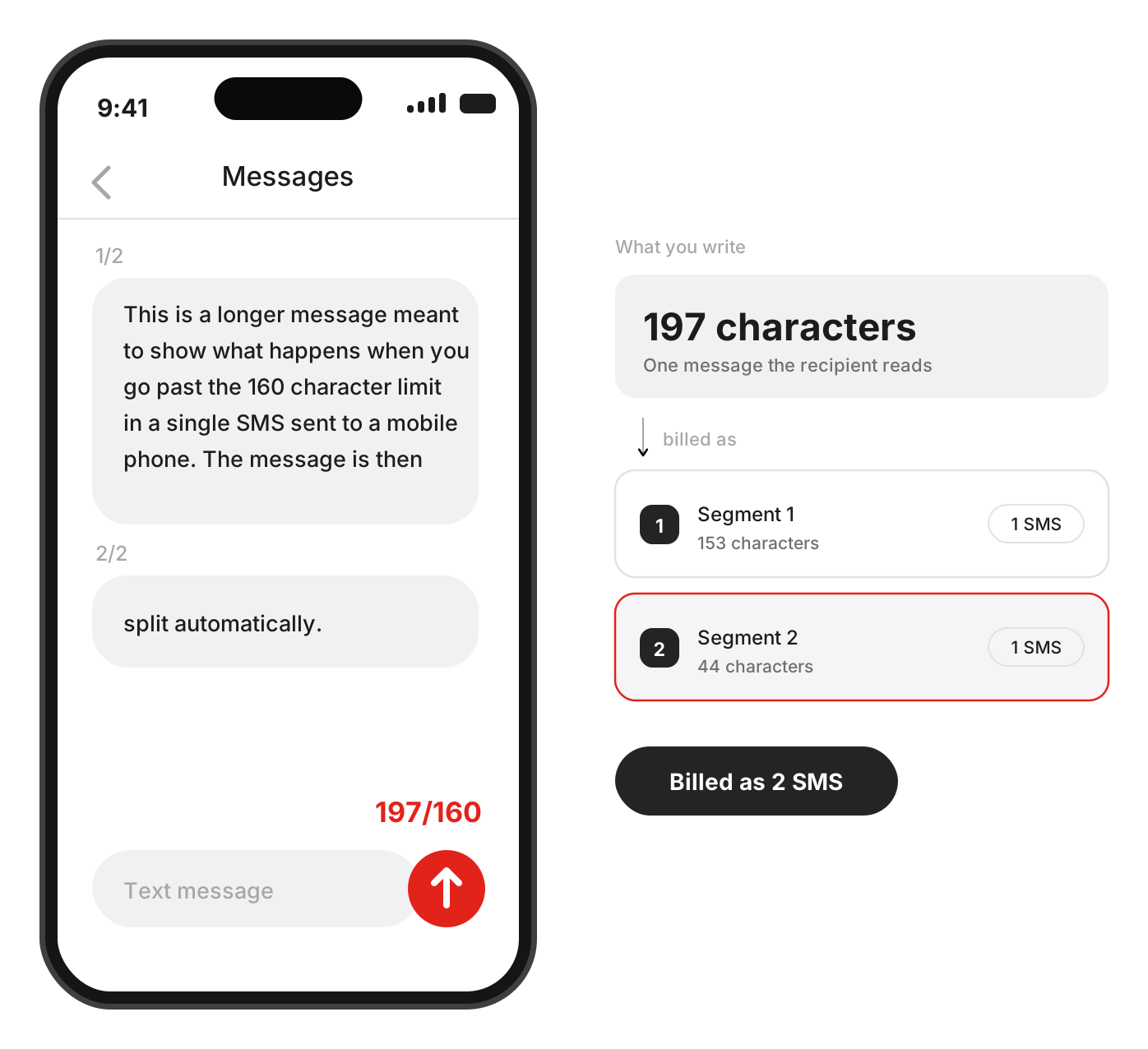
Outbound SMS is priced by destination and billed in message segments. Your applicable rate can also depend on the traffic, sender setup, volume and available route.

A standard GSM-7 message contains up to 160 characters in a single segment. Unicode messages contain up to 70 characters. Longer messages can use multiple billable segments.

View SMS rates →

SMS pricing depends on where you send

Why send SMS through didlogic

Traffic reviewed before launch

Your destination, traffic type, sender and representative content are reviewed before the route is confirmed.

Destination-specific routing

A2P SMS behaviour differs significantly across networks and countries. Routes are matched to the use case rather than treated as interchangeable.

Telecom infrastructure since 2006

didlogic has operated international telecom infrastructure since 2006 on AS13006, with 12 points of presence supporting both voice and A2P messaging

Voice and messaging from one provider

Use didlogic for international voice and A2P SMS rather than building separate telecom relationships for each communications channel.

FAQ: A2P SMS

What is A2P SMS?

A2P (application-to-person) SMS is messaging sent from a business application or system to an individual. Common examples include OTP codes, order updates, account notifications, appointment reminders and promotional messages.

Learn more about A2P messaging →

What is the difference between A2P and P2P SMS?

A2P SMS is sent by an application or business system to an individual.

P2P SMS is person-to-person messaging, normally sent from one phone number to another.

The two can use different routing, sender formats and compliance processes.

Do I need a phone number to send A2P SMS?

No.

A DID is not required for standalone outbound A2P SMS. Messages can be sent using an approved alphanumeric sender ID instead.

If you want messaging tied to a didlogic phone number, that is a separate SMS-enabled DID setup.

What is a sender ID?

The sender ID is the name or number shown in the message sender field.

For standalone A2P SMS, an alphanumeric sender ID can display your company, product or service name instead of a phone number where supported.

Can I use any sender ID?

No.

The sender should clearly relate to your company or service. Misleading or inappropriate sender IDs are not accepted.

Some countries additionally require sender registration before the selected sender can be delivered unchanged.

Does didlogic register sender IDs?

Where a destination requires formal mobile-network registration, didlogic can support the registration process as part of the setup.

Not every destination requires sender registration.

An approved sender ID also has to be assigned to the customer’s didlogic account before it is used for sending.

Which countries can I send A2P SMS to?

didlogic provides A–Z A2P coverage.

What varies is the traffic type, sender format and content that can be supported in each destination.

Send us your countries and use case and we will confirm the applicable setup.

Can I send OTP SMS?

Yes.

OTP and verification SMS are supported use cases, subject to destination-specific routing and restrictions.

Can I send transactional SMS?

Yes.

Transactional messaging such as notifications, account alerts and service updates is supported across relevant destinations.

Can I send promotional or bulk SMS?

Yes, where the destination and route support promotional traffic.

Promotional messaging can have more restrictions than transactional or OTP traffic, so availability must be checked for the countries involved.

Can my sender ID be changed before delivery?

Yes.

In some destinations, local network or regulatory requirements can overwrite the submitted sender ID.

Can message content be modified?

In some destinations, yes.

Local requirements or network behaviour can result in content being modified or supplemented before it reaches the recipient.

How is outbound SMS priced?

Pricing depends on the destination and the number of SMS segments sent.

A long message can consist of multiple segments, and each segment is charged separately.

Why can one SMS be billed as two or three messages?

Because SMS is billed by segments.

Long messages are split into several segments. The encoding used by the message also affects the number of characters available per segment.

Unicode characters, non-Latin scripts, emoji and some special characters can therefore increase the number of segments.

Do you support short codes?

Not across most destinations.

Short codes are generally specialised, high-volume messaging products available only in selected markets.

Can recipients reply to an alphanumeric sender ID?

Alphanumeric sender IDs are primarily used for one-way A2P messaging.

If you require two-way SMS, discuss an SMS-enabled DID setup with didlogic.

How do I start?

Send us:

  • your destination countries;
  • traffic type;
  • sample message content;
  • expected volume;
  • preferred sender ID.

We will confirm the relevant setup for your traffic.

GET STARTED →